01 Route
Schedule that respects miles
See today’s stops, revenue in view, and weather — then mark work done without losing context.
Hoofy · Farrier app for iPhone
Plan visits, keep each horse’s history, create invoices, and track unpaid balances in one iPhone app. Built by Chase Paris, a second-generation farrier with 10 years of experience.
Hoofy Pro · US$12.99/mo · 7-day trial where eligible
Local price and renewal terms confirmed by Apple.
Inside the app
Start with the horse’s profile, review the work recorded on previous visits, and prepare a visit report to share. These captures show that recordkeeping workflow in Hoofy itself.
Actual in-app captures from September 2026 testing, using fictional demonstration records. Names, dates, amounts, and notes are examples, not customer results. Appearance may vary by app version and device.
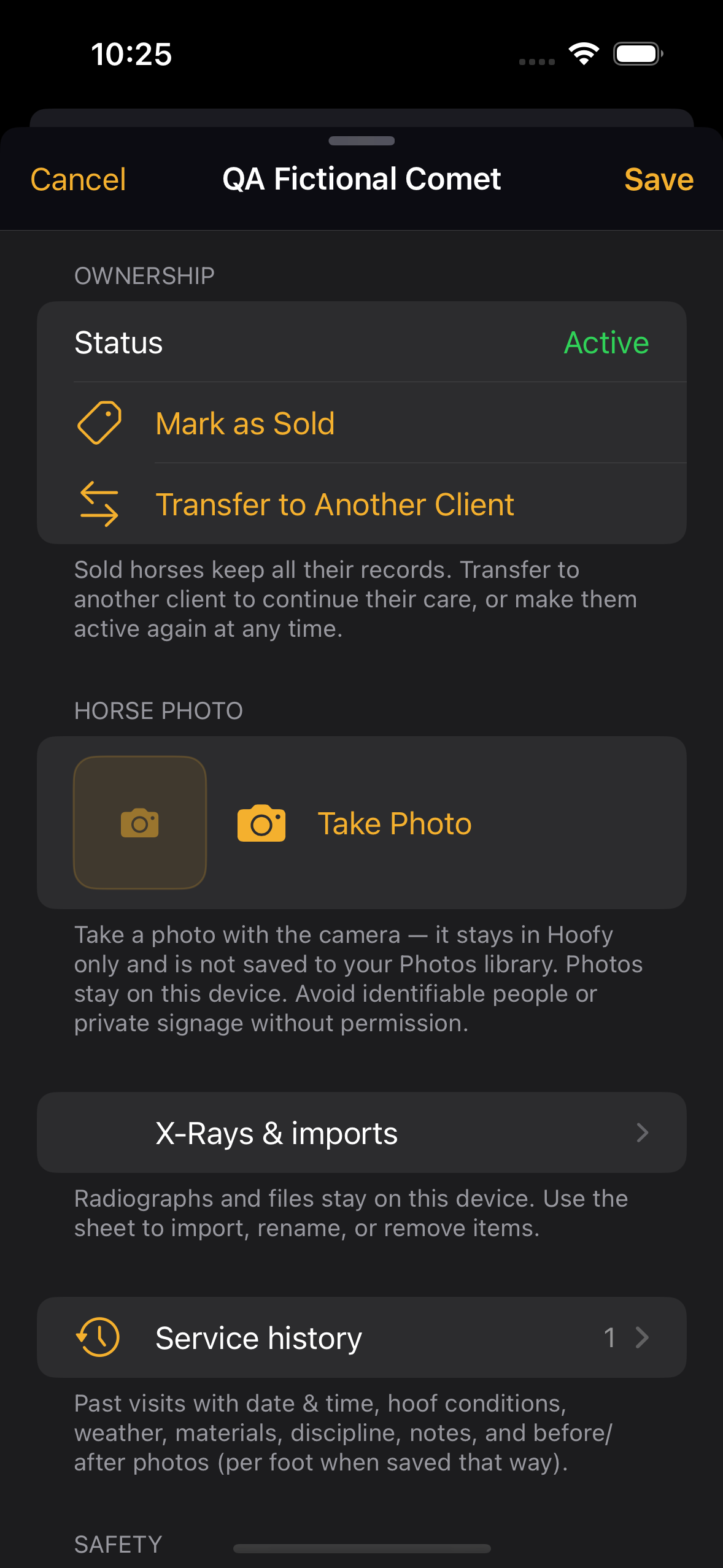
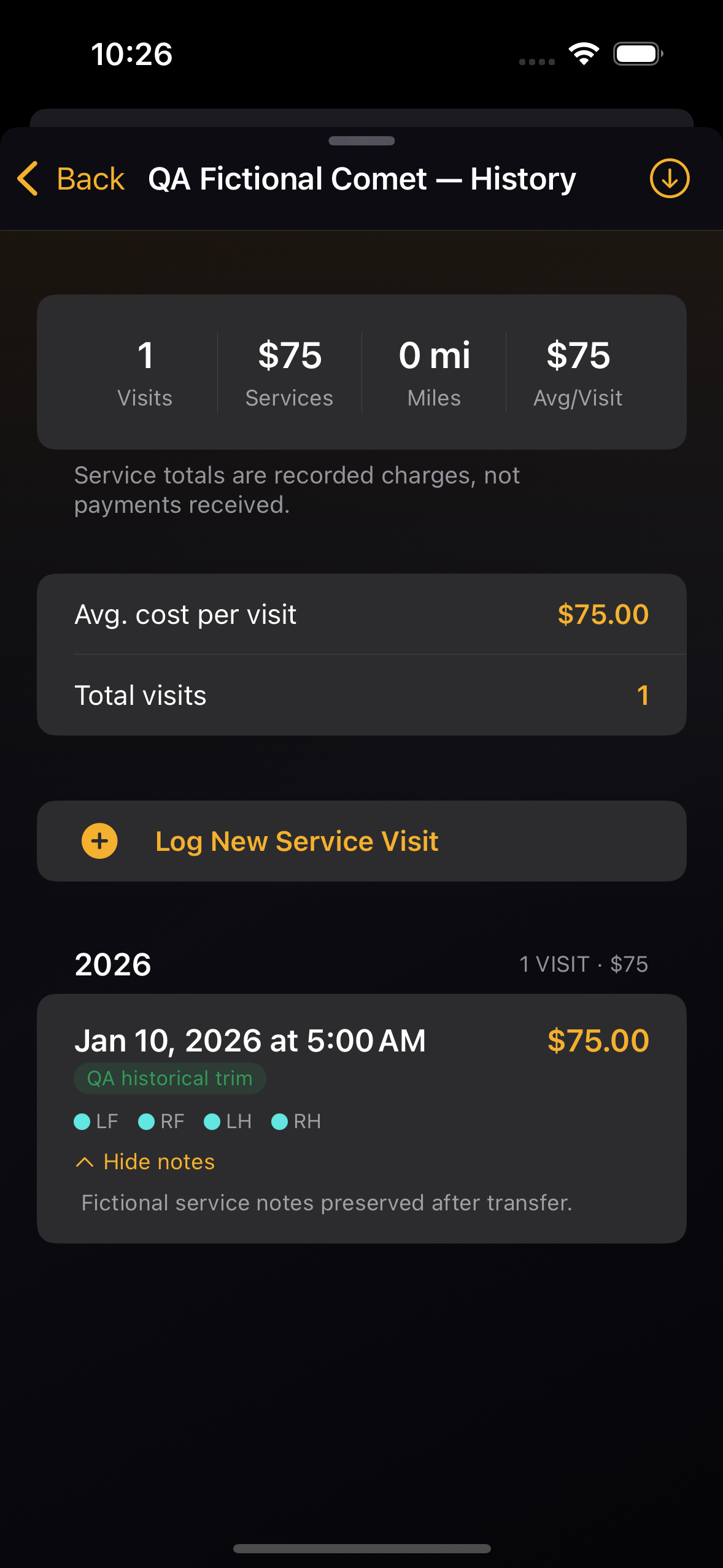
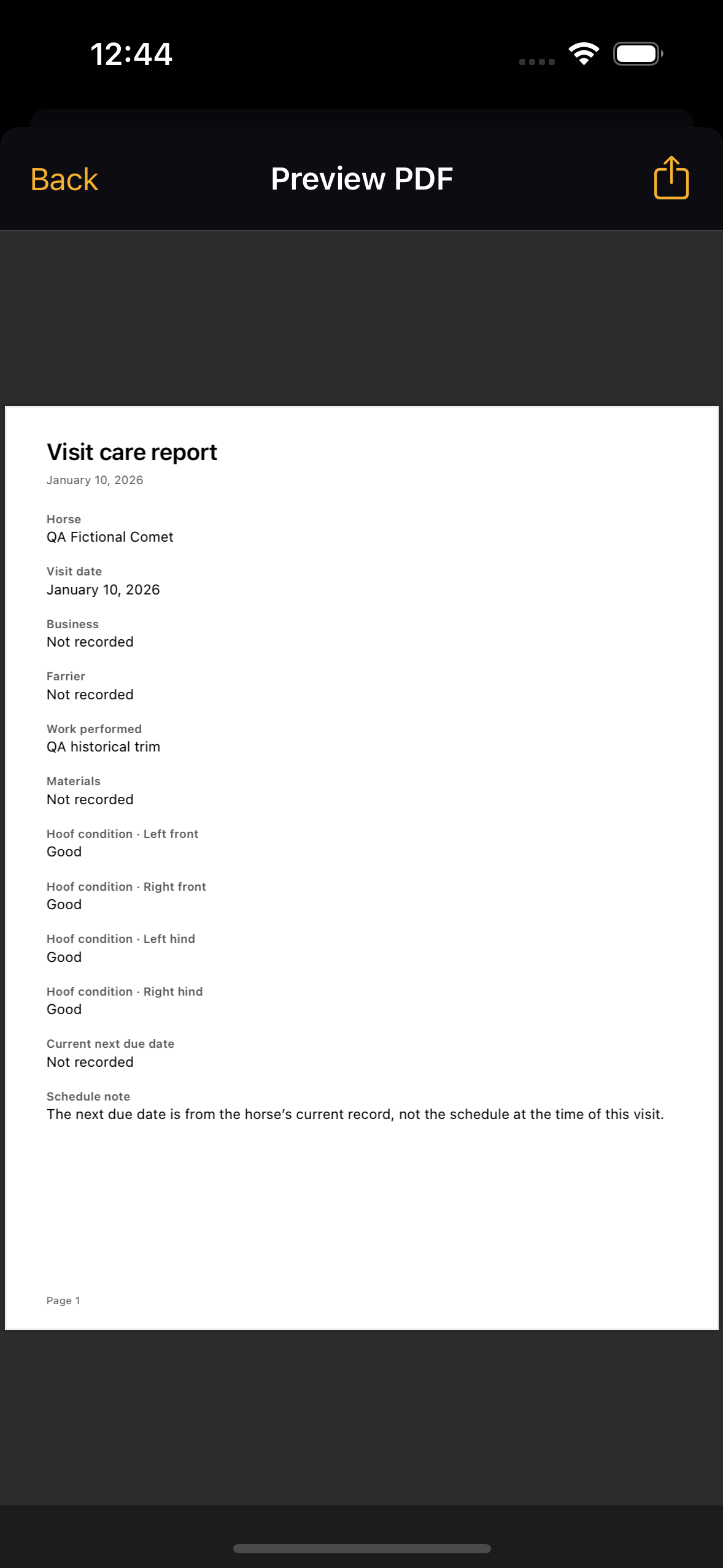
Farrier-built, with a name behind it. Chase Paris is a second-generation farrier with 10 years of experience as of September 2026. Meet the creator, explore the full feature set, or read customer reviews on the App Store.
Farrier reference
Simplified diagrams, common terminology, documentation prompts, and links to veterinary resources. General education—not diagnosis or treatment instructions.
Open the anatomy referenceBuilt for how you actually work
Hoofy connects the barn visit to the books — so you leave with the work done and the paperwork started.
The workflow
01 Route
Schedule that respects miles
See today’s stops, revenue in view, and weather — then mark work done without losing context.
02 Money
Invoice before you drive away
Professional invoices, line items, and A/R aging so overdue balances show up in orange.
03 Records
Horses, photos, safety flags
Per-horse history, intervals, billing rules, and vet links — ready when you pull in.
04 Business
Mileage & dashboards
Track miles for deductions and scan performance without exporting to a spreadsheet.
Where offered to eligible subscribers.
After trial · region pricing may vary.
Designed for one hand and bright sun.
From Settings — we want fans, not hostages.
The farrier app that keeps clients, horses, and money in one place — so you can focus on feet, not files.
One subscription vs. juggling calendars, invoicing, mileage, and notes across separate apps.
Hoofy is designed for a phone-first workflow. The right app depends on your devices, route, records, and billing habits. Use the solo-farrier evaluation guide to test it against a normal working day.
Speed at the hitch
Swipe through today, capture what happened, and move — the UI stays out of your way.
Everything connected
When the horse, visit, and invoice stay linked, you spend less time reconstructing the week.
Money you can see
Dashboards and aging lists help you chase revenue before it becomes a problem.
Privacy & your data
Your business records are stored on your device. Weather and services you choose to use may connect to third parties. Read our privacy policy for the details.
Questions?
Read the Hoofy FAQ & support or reach out — we’re a small team and we read what you send.
Long-form reads on scheduling, billing, and choosing the best farrier app — for shoers comparing software before they subscribe.
Browse every business guide
Practical checklists for records, routes, invoices, and the end of the day.
What is a farrier?
Definition, services, and how horse owners choose local hoof-care professionals.
Search the U.S. farrier directory
Search the public U.S. directory by state, city, ZIP, or phone — hosted on Hoofy.
Farrier software buyer guide
How to evaluate scheduling, invoicing, mileage, records, and A/R tools.
Scheduling for multi-stop routes
Routes, same-day rules, native iPhone workflow.
Barn-floor invoicing & A/R
Bill at the barn, aging, exports.
Vendor-neutral app checklist
Checklist that works for any vendor.
Free farrier business tools
Use a printable invoice template and mileage log in your browser.
Hoof anatomy reference · Farrier definition guide · Billing & product answers · Get the iPhone app
Core Hoofy tools for the route, the visit, and the books.
Keep appointments, route stops, and the related client and horse details in the same iPhone workflow.
Explore scheduling and routesMaintain horse service history, create invoices, and review open account balances in the same app.
Explore invoicing and A/RLog business mileage and review schedule, client, and business information without relying on a desktop.
See Hoofy featuresCommon questions
Plain answers to what owners and farriers ask before they download. For more detail, see all FAQ topics and our farrier business guides.
A farrier app is software built for horseshoeing work: routes and stops, per-horse service history, barn-floor invoicing, mileage, and accounts receivable — with the visit, horse, and payment linked so you stop re-typing the same names across a calendar, spreadsheet, and generic invoice tool. Hoofy is a native iPhone farrier app that keeps those pieces in one workflow. Read the full overview.
Start with the work you need to do at the barn: schedule stops, keep per-horse history, send invoices, see open balances, and record mileage. Hoofy is built specifically for that iPhone workflow. Use our farrier app checklist to compare the features and fit that matter to your route.
Hoofy Pro is US$12.99 per month in the US storefront. A 7-day trial may be offered to eligible subscribers. Local pricing, eligibility, and auto-renewal terms are confirmed by Apple before purchase. Manage or cancel the subscription through Apple Subscriptions. See pricing for details.
Hoofy stores business records locally so core recordkeeping can continue without signal. Fresh weather, address lookups, downloads, purchases, and sending documents require a connection. Optional iCloud backup and sync-file features must be enabled and need iCloud availability; local storage alone does not confirm a recoverable cloud backup or real-time team synchronization.
Yes. Hoofy includes a built-in mileage tracker for business use that summarizes miles by date, route, and client, so come tax season you have a clean export to hand your CPA or load into your books. See the mileage IRS guide for the standard-rate workflow.
Not yet. Hoofy is iPhone-only today and ships through the Apple App Store. We are tracking demand from Android-using farriers — if that is you, please contact us so we can prioritize.
Use the public Find a Farrier directory. You can search by name, city, ZIP code, phone, or email, and filter by U.S. state. The directory is free and includes farriers, barefoot trimmers, and farrier schools from across the United States.
Create the invoice while the visit details are fresh, then use the available share options and review outstanding balances. Sending a document needs the receiving service and a connection. An invoice is not proof of payment; reconcile money received and record payments. Hoofy is not a card processor and does not guarantee faster payment. See the invoice follow-up guide.
See Hoofy on the App Store. Check your device, subscription terms, and trial eligibility before starting.